



FAQs about the ekey bionyx system
Answers to questions about devices and administration
How often can the backup QR code be used?
The backup QR code is only valid once. After that, you will be prompted to generate a new one in the app.
How does the activation of the ekey system work?
How can I invite or create a user?
How do I store a new finger?
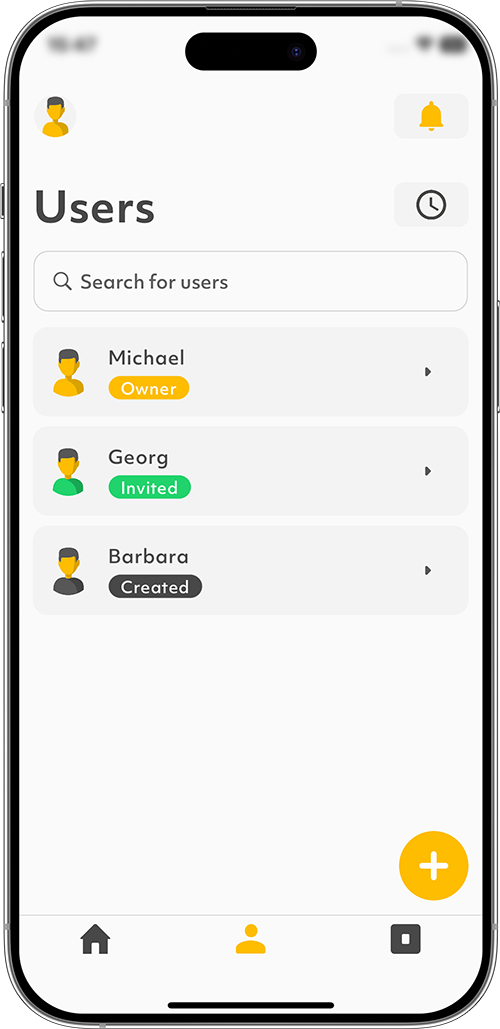
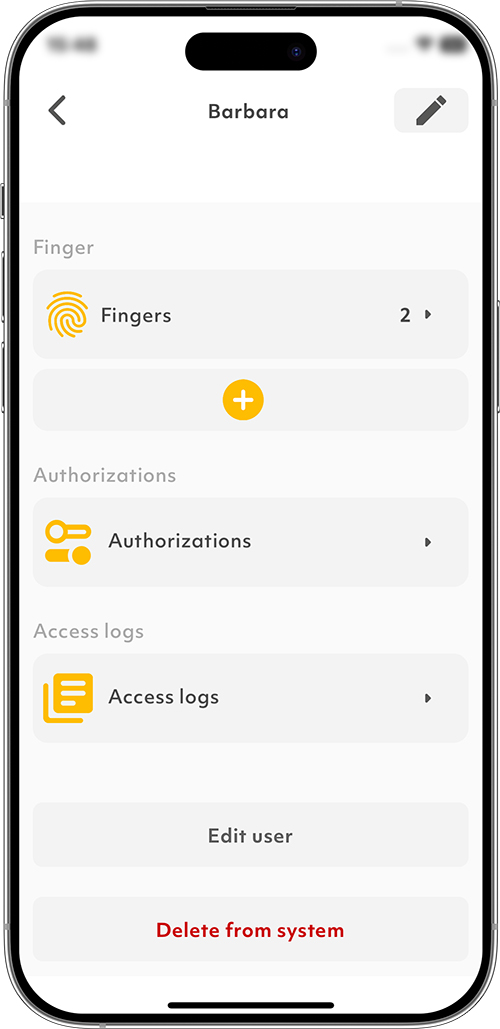
1. Tap on the “Users” symbol in the menu bar.
2. Select the desired user.
3. Tap on the “+” symbol.
4. Follow the instructions.
Invited users with an ekey bionyx account must store their fingers themselves.
How do I activate ekey control unit extension modules?
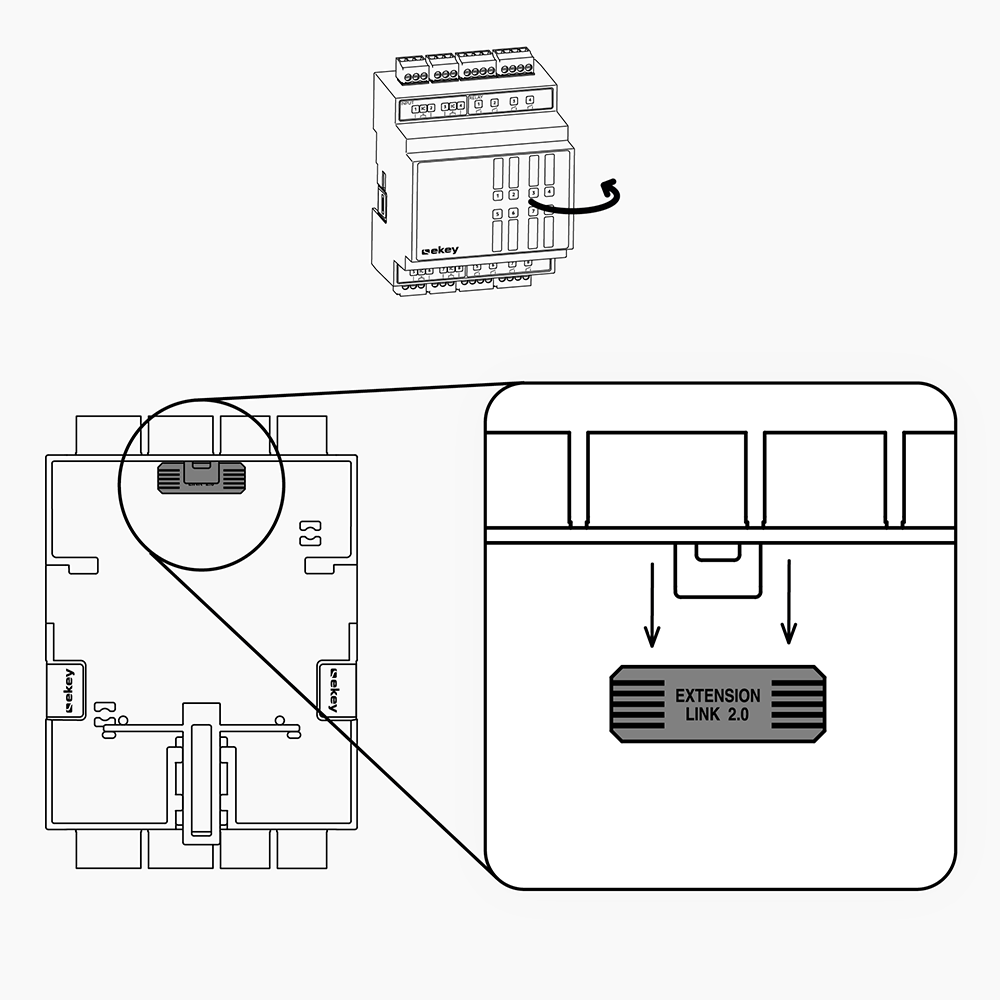
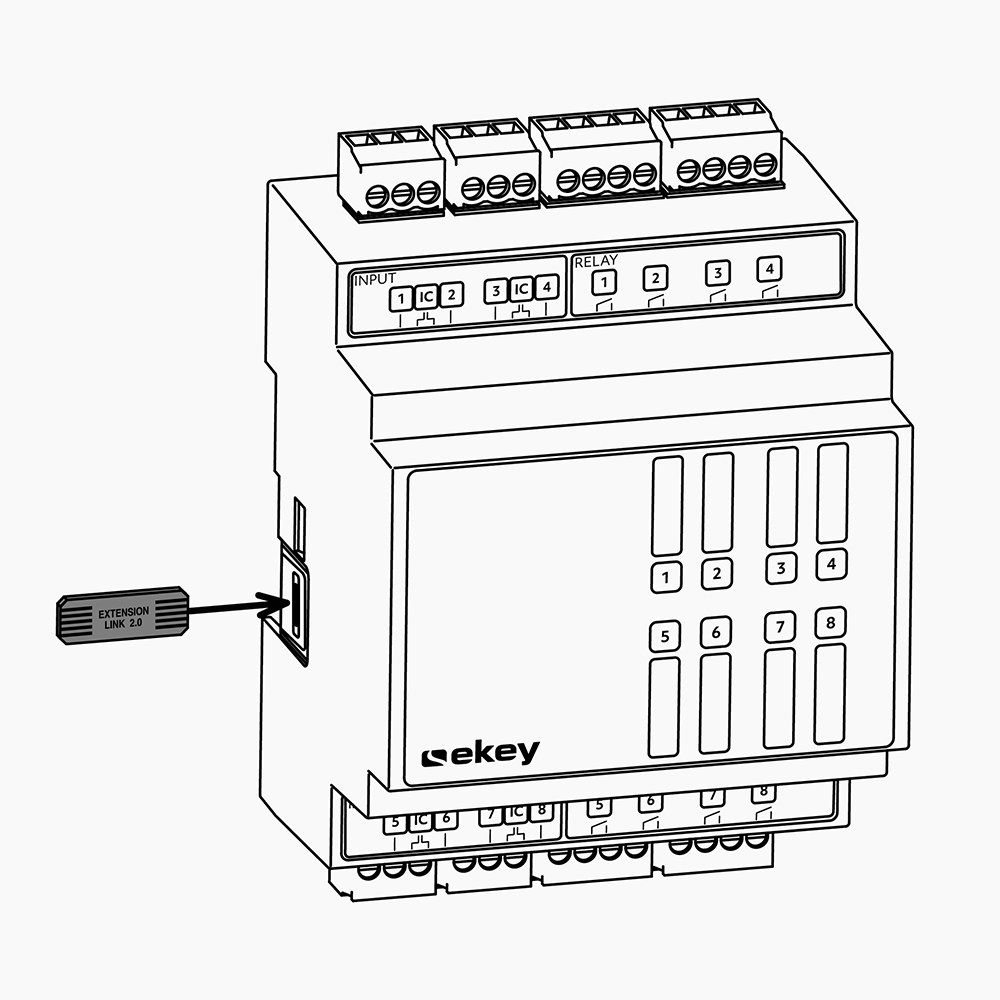
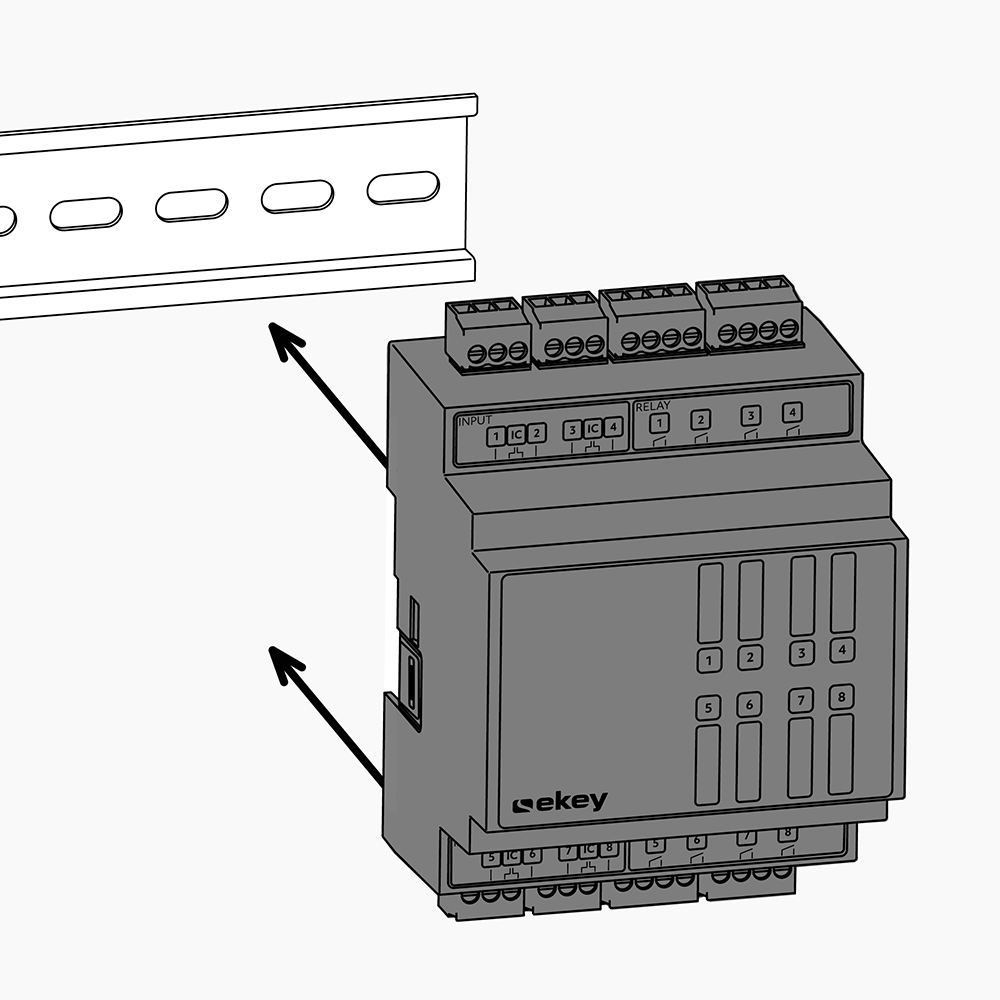
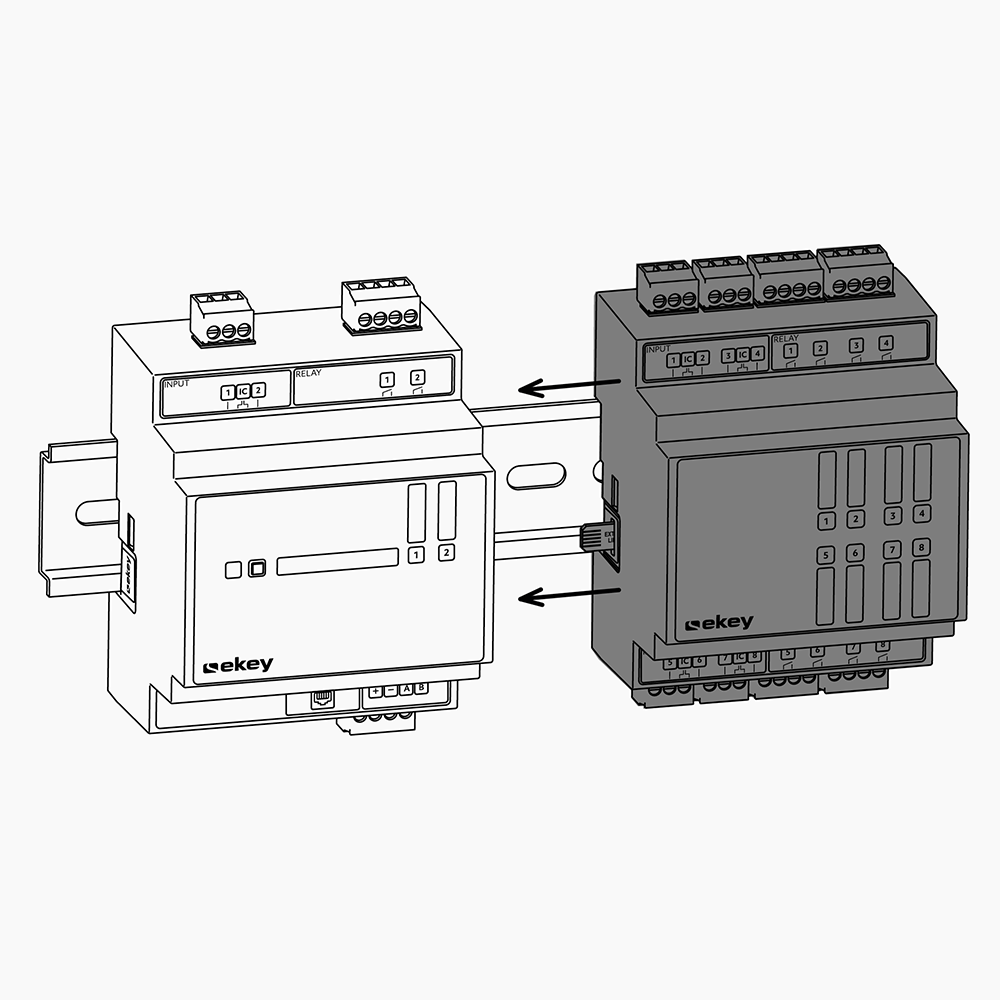
1. Disconnect the ekey bionyx system from the power supply.
2. Remove the EXTENSION LINK from the back of the control unit extension module.
3. Plug the EXTENSION LINK into the left-hand side of the control unit extension module.
4. Place the control unit extension module on the DIN rail.
5. Push the ekey control unit DRM and the control unit extension module together.
6. Reconnect to the power supply.
You can now configure the relays:
How can I assign a function to a relay?
How many control unit extension modules can I connect to an ekey control unit DRM?
You can connect any two control unit extension modules to an ekey control unit DRM and configure up to 18 relays. ekey offers control unit extension modules with 2 or 8 relays.
I have a new ekey fingerprint scanner system. What are the first steps now?
1. Download the ekey bionyx app from the App Store or Google Play.
2. Start the app.
3. Establish the power supply for the ekey system. If the system is already powered, disconnect it for at least 10 seconds and then reconnect it. The devices are in activation mode when the top-left LED segment flashes blue.
4. Follow the instructions in the ekey bionyx app.